Tool · Apparel · Flat lay & pinned
Your flat lay photos, on model in a few clicks.
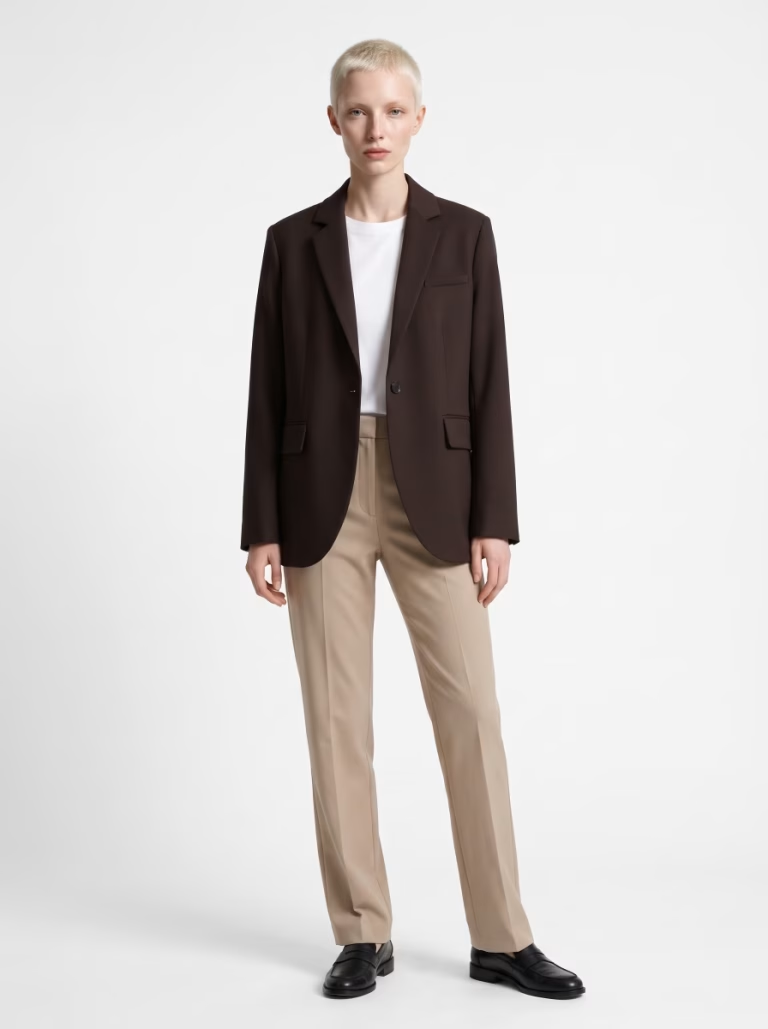
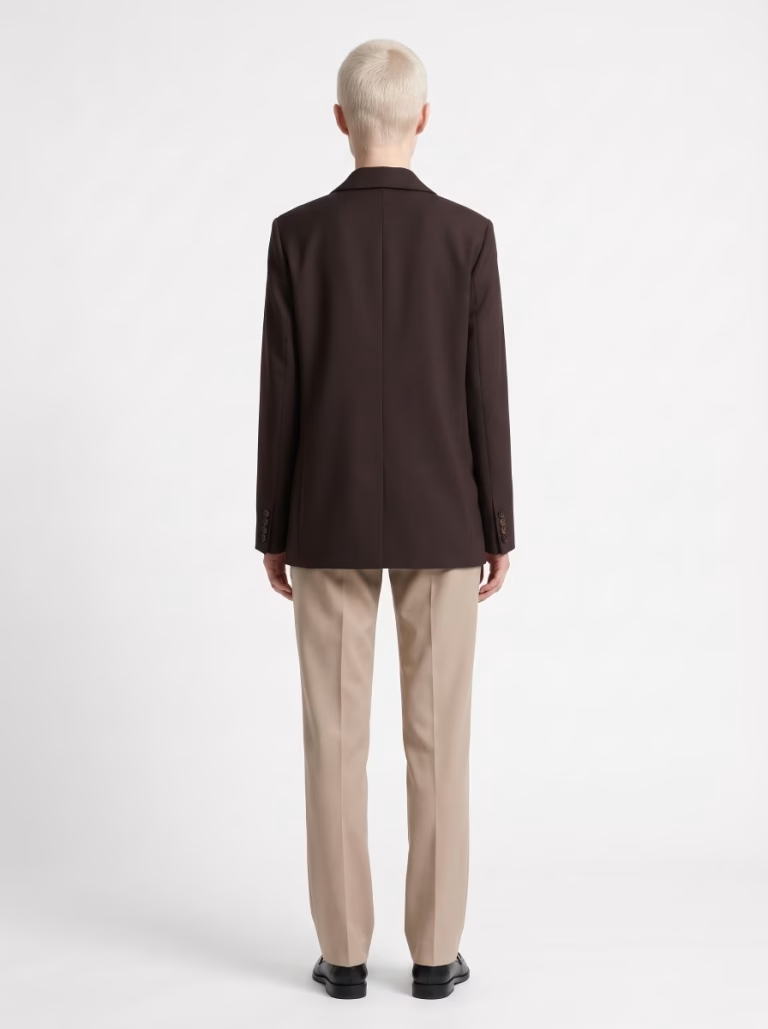
Flat lay to on-model in one step: upload a flat lay or pinned photo of your garment, and Parisia uses AI to turn it into an on-model photo with an AI fashion model, front and back. Up to 20 garments, front and back, per batch, at about 30 seconds per photo.
Try Parisia
From raw pinned shot to on-model photo
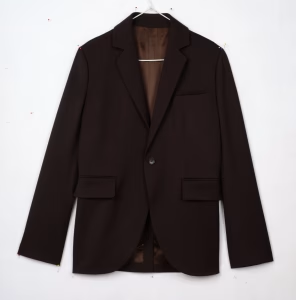
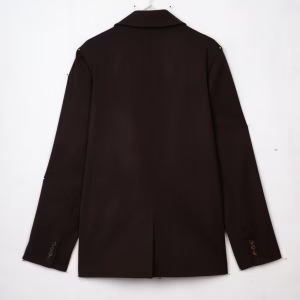
Upload your garment just as you shot it: pinned on a white background, front and back, hanger and pins included. Let the app style the rest of the look, as we did here, or pick the top, pants or shoes yourself. Then choose the format, square, portrait or landscape, and the resolution, 2K or 4K: front and back are ready in under a minute.
Pinned · front
Pinned · back
On model · front
On model · back
What you gain
Your flat lay, upgraded
Flat lay or pinned
A simple shot on a table, or a carefully pinned garment that holds its shape: both become on-model photos. Shooting on a ghost mannequin? See ghost mannequin to on-model.
A garment that comes to life
On model, your garment gets back its volume, cut and drape: Parisia is designed to respect its colors and details.
Matching front and back
The on-model back view is generated from the front: same model, same look.
Up to 100 AI fashion models
Pick the model that fits your brand from 20, 60 or 100, depending on your plan. Every face is created entirely by AI, so there is no model release to negotiate.
A look built around each piece
The app completes the outfit with what each garment needs, or with the pieces you choose.
The right format for every channel
Portrait, square or landscape, in 2K, or in 4K on the Pro and Advanced plans.
From table to storefront
Three steps, a whole collection
1. Lay it flat and shoot
Your garment flat on a plain background, front then back.
2. Choose your model
Then the format and resolution of your photos.
3. Launch the batch
About 30 seconds per on-model photo, all saved in your history.
Who it's for
For fashion brands, designers and online stores
Fashion brands, designers and online stores: your flat lay or pinned photo becomes a clean, polished on-model photo, with controlled light and crisp detail, ready for every sales channel.
Product pages
Front and back on-model shots for every piece, from day one.
Lookbooks and collections
Complete, consistent looks to present an entire collection.
Marketplaces
On-model images in the format each platform expects.
Social media
Your new arrivals on model, in portrait for Stories.
Plans
Plans from $9.90 a month
Every plan includes the tool. The higher the plan, the wider your choice of models, with the same image quality for all. Prices in USD; your final currency depends on your country at sign-up.
Starter
$9.90 a month
15 generated images per month. 2K output. Choice of 20 models.
Pro
$39.90 a month
80 generated images per month. 2K and 4K output. Choice of 60 models.
Advanced
$89.90 a month
250 generated images per month. 2K and 4K output. Choice of 100 models.
FAQ
Flat lay to on-model, your questions
How do I photograph clothes flat or pinned?
Flat lay: place the garment on a plain surface, smooth out the wrinkles and shoot from directly above in soft light. Pinned: pin it to a board or wall to give it shape. Either way, take one front photo, plus a back photo if you want the back on model too.
Can I turn a flat lay photo into an on-model photo?
Yes. Parisia uses AI to turn the flat lay or pinned photo of your garment into an on-model photo, front and back, in about 30 seconds per photo.
Will my garment keep its shape and details?
Parisia is designed to respect your garment: cut, color, prints and details, with the whole piece in frame.
Which garments work as flat lays?
Tops, bottoms, dresses, sets and coats. The framing adapts to each type: full length for a dress or coat, three-quarter for a short top, centered on the silhouette for bottoms.
Can I choose the pieces that complete the look?
Yes. The app adds the pieces each garment needs, or you choose a top, bottoms or shoes, applied to the whole batch.
How many garments per batch?
Up to 20 garments, front and back, per batch, all worn by the same model.
What formats are the photos delivered in?
Portrait for Stories, square for product pages, landscape for banners, in 2K. The Pro and Advanced plans add 4K.