Tool · Apparel · Ghost mannequin
Your ghost mannequin photos, on model. Ready for your store.
Parisia uses AI to turn the ghost mannequin photo of your garment into an on-model photo with an AI fashion model, front and back. You pick the model, the format and the resolution. Each photo takes about 30 seconds, with up to 20 garments, front and back, per batch.
Try Parisia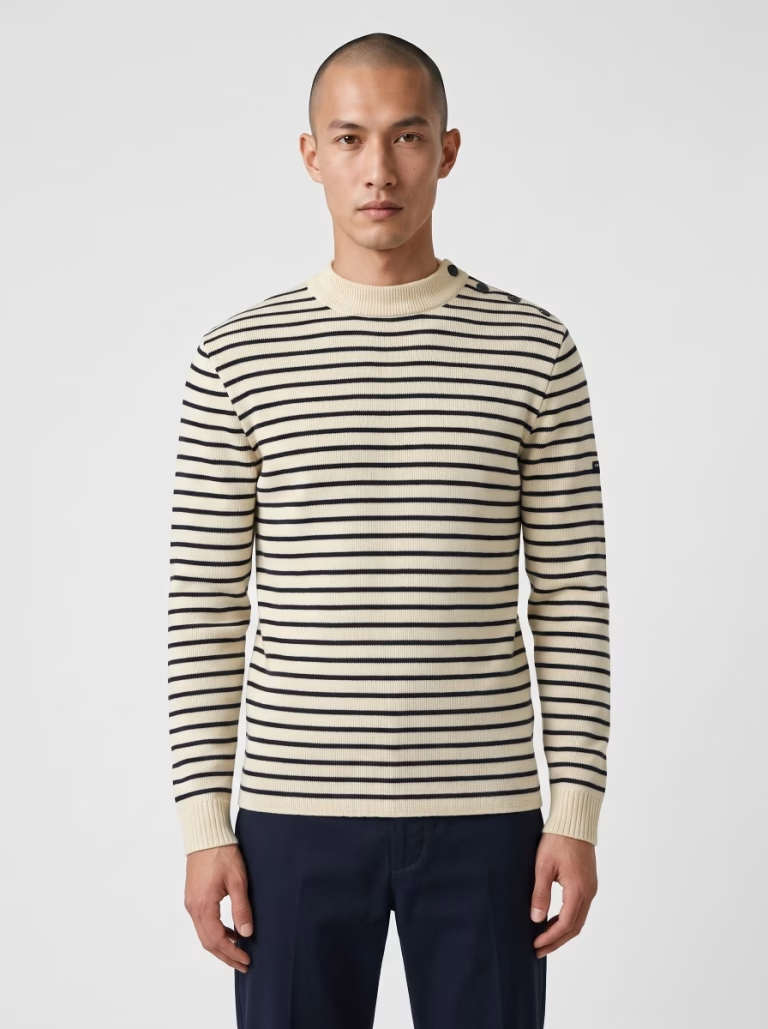
Example 1 · a white top
From ghost mannequin to on model
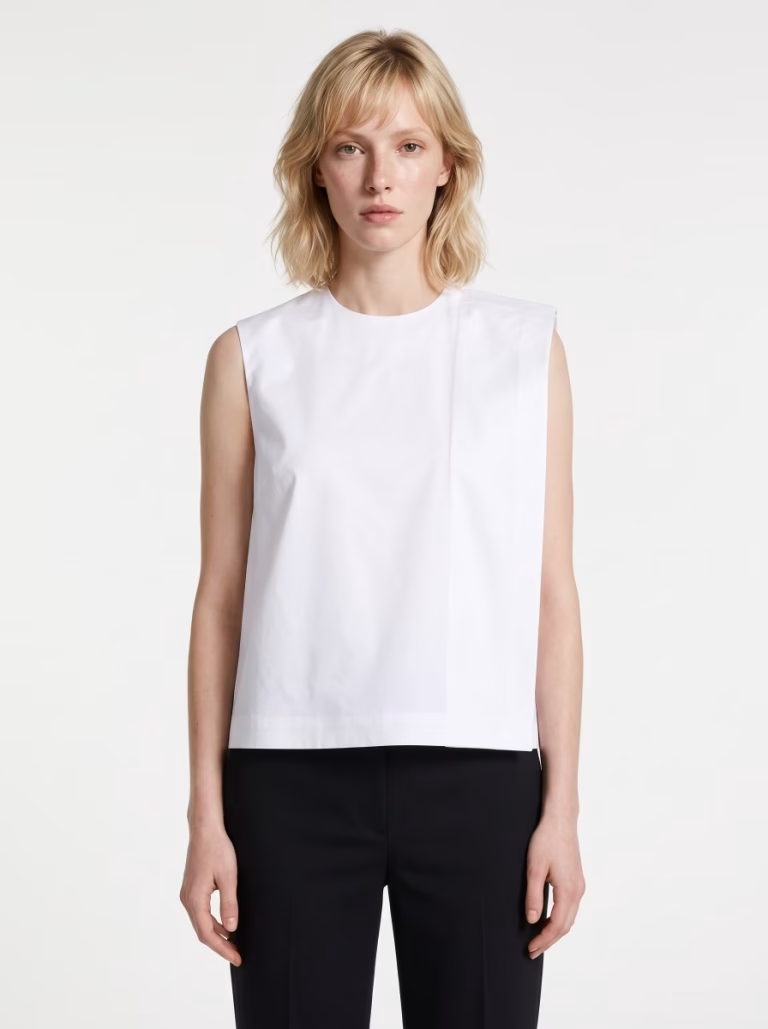
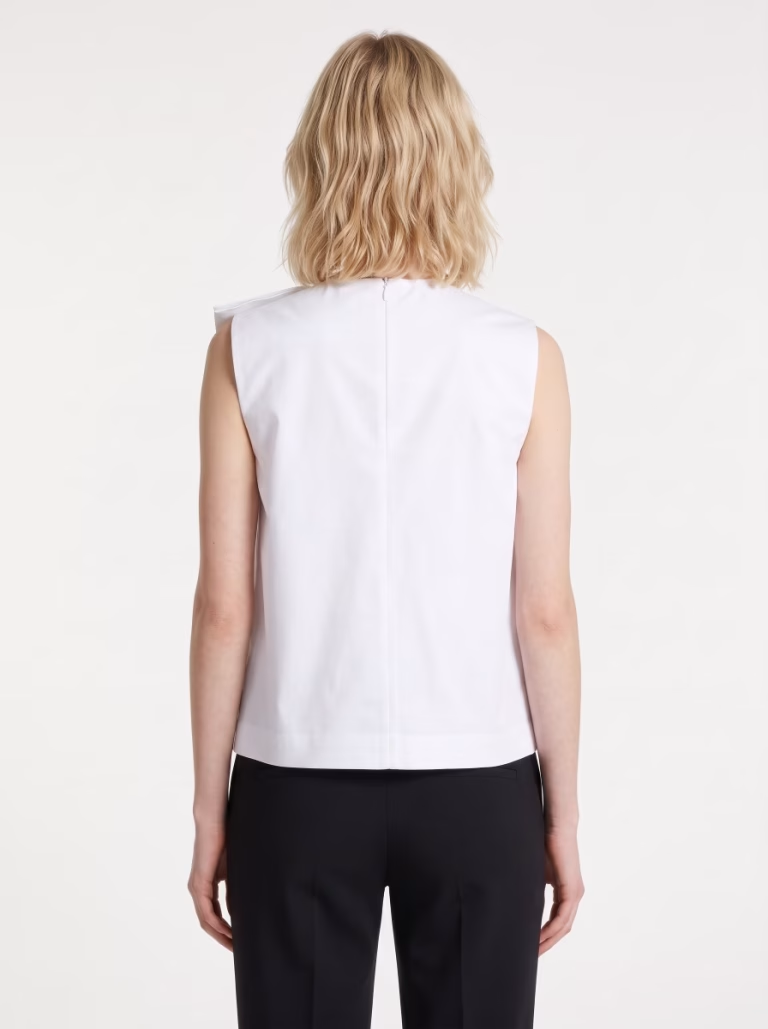
A white sleeveless top, shot on a ghost mannequin, front and back. It's worn by the model Astrid, and the back matches the front: same model, same outfit.
Before · front
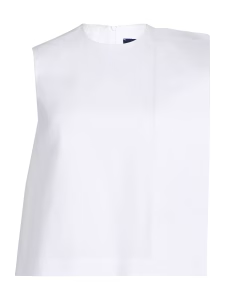
Before · back
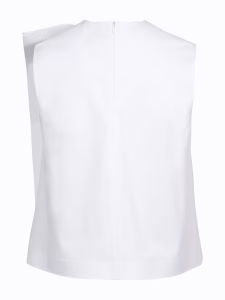
After · front
After · back
Source photos: Parisia.
Example 2 · one skirt, styled two ways
One skirt, two looks
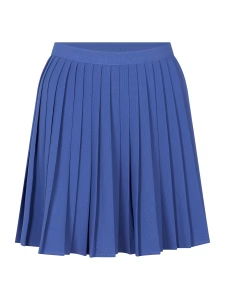
In the source photo, the skirt is on its own. A complete look shows it off better, so we add a top and shoes. You can let the app choose (first result), or pick the pieces yourself, the top and/or the shoes, and the app completes the rest. Here, we picked the shoes (second result).
Before · the skirt
The app picks the look
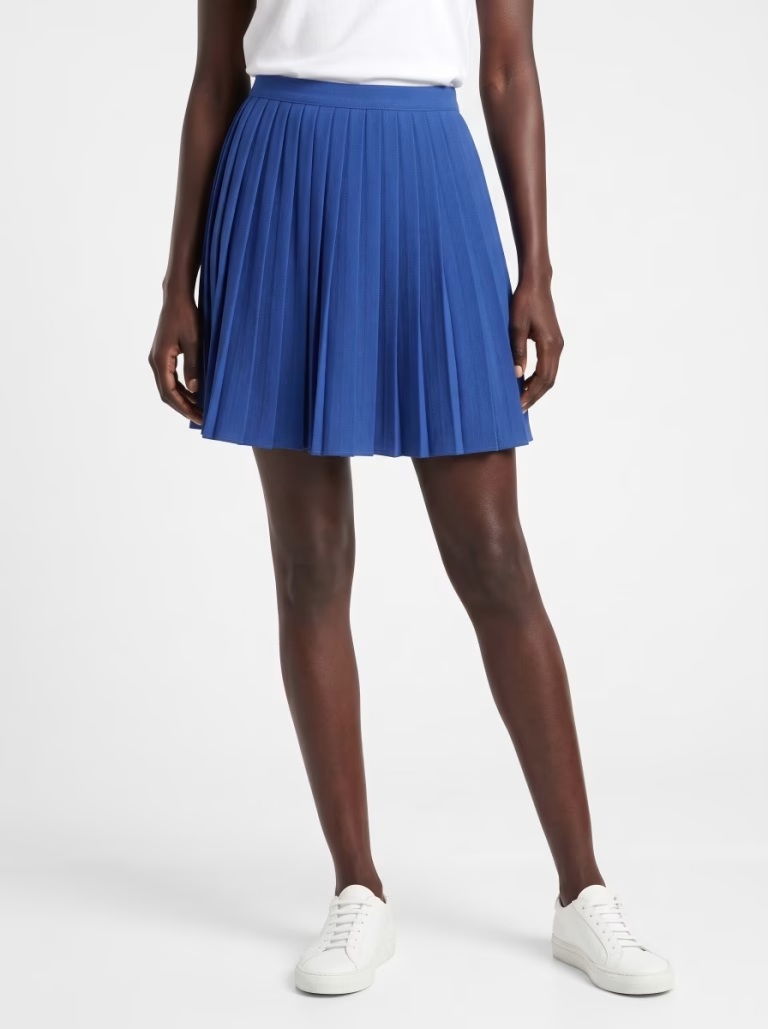
You pick the shoes
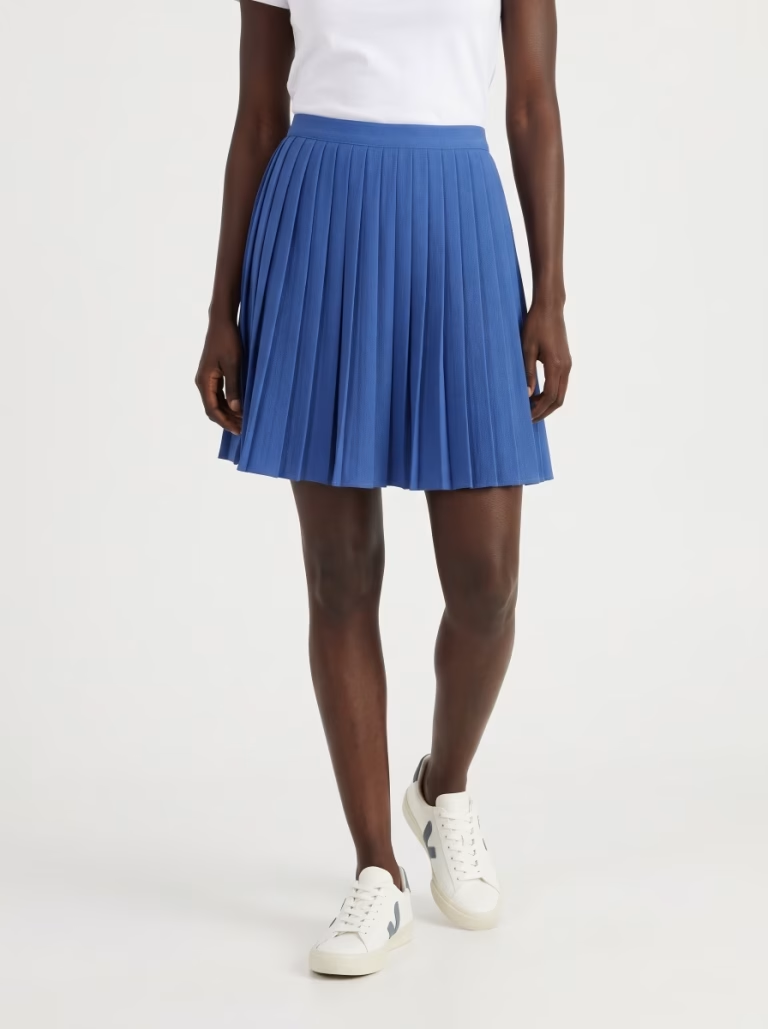
Skirts, tops, dresses, sets, coats: the framing adapts to the garment, which always stays fully in frame.
What you get
On-model photos, ready to sell
Matching front and back
The back is generated from the front: same model, same outfit, same mood.
True to your garment
Cut, color and details stay true to your source photo.
Up to 20 garments at once
Up to 20 garments, front and back, per batch: Parisia pairs the front and back of each piece.
A wide range of models
Choose the model that fits your brand.
A complete outfit
The pieces that complete the look (top, bottoms, shoes) are picked for you, or by you.
Format and resolution
Portrait, square or landscape, in 2K or 4K depending on your plan.
In three steps
Simple, start to finish
1. Upload your photos
Front and back of each garment, up to 20 pieces.
2. Choose your model
From the models included in your plan.
3. Choose your format
Format and resolution, then launch. Allow about 30 seconds per generated photo.
Who it's for
For fashion brands and online sellers
Already have ghost mannequin photos of your products? Parisia turns them into on-model photos, ready to publish wherever you sell. Shooting flat lays or pinned garments? See flat lay to on-model.
Product and collection pages
Front and back on-model shots for every product in your store.
Marketplaces
On-model images in the format and resolution marketplaces expect.
Social media and newsletters
On-model photos to announce your new arrivals.
Catalogs, lookbooks and ads
Complete looks to showcase a collection.
Plans
Plans from $9.90 a month
Model collections add up: the higher your plan, the wider your choice. Every plan delivers the same image quality. Prices in USD; your final currency depends on your country at sign-up.
Starter
$9.90 a month
15 generated images per month. 2K output. Choice of 20 models.
Pro
$39.90 a month
80 generated images per month. 2K and 4K output. Choice of 60 models.
Advanced
$89.90 a month
250 generated images per month. 2K and 4K output. Choice of 100 models.
FAQ
Your questions
What photos do I need to provide?
A ghost mannequin photo of the front and, if you like, one of the back for each garment.
Will my garment stay true to the original?
Parisia is designed to respect your garment: it stays fully in frame, and its cut, color and details stay true to your photo.
How many garments can I process at once?
Up to 20 garments, front and back, per batch, ideal for a series or a collection. For each garment, the app completes the look with the pieces it needs (top, bottoms, shoes). If you prefer, you can pick those pieces yourself, for example the same shoes for the whole series, and the app completes the rest.
Which formats and resolutions are available?
Portrait, square or landscape, in 2K; 4K is available on the Pro and Advanced plans.
How do I turn a ghost mannequin photo into an on-model photo?
Upload the front (and back) ghost mannequin photo of your garment, choose your model, a format and a resolution, then launch. Each on-model photo is generated in about 30 seconds.
Do I need a model and a photo studio?
No. You choose your model from the Parisia collection, and the photo is generated by AI from your ghost mannequin photo: your existing product shots are all you need.
How long does it take to process a collection?
About 30 seconds per generated photo, with up to 20 garments, front and back, per batch: a whole collection in a single run.