Tool · Eyewear — Packshot → on-model
Your eyewear, on-model. Ready for your store.
Parisia creates on-model eyewear photos from your packshots with AI. Eyeglasses or sunglasses, front, three-quarter or profile: each frame is worn at the angle of its packshot, up to 100 frames at once.
Try Parisia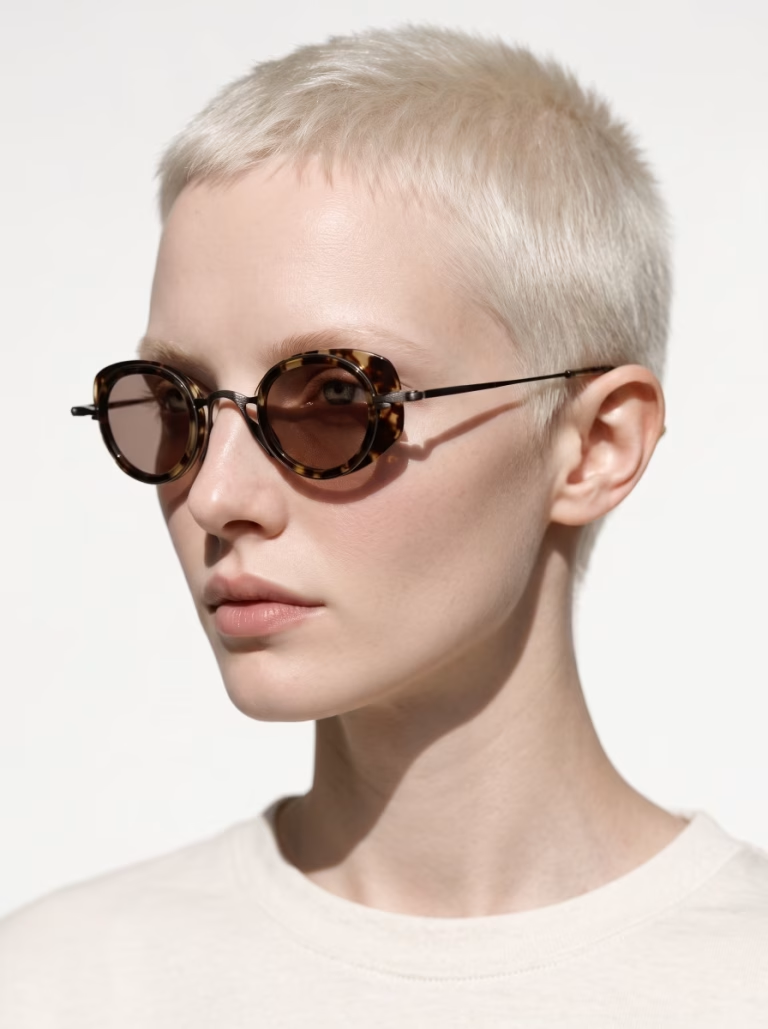
The result
Your frame, exactly as it is.
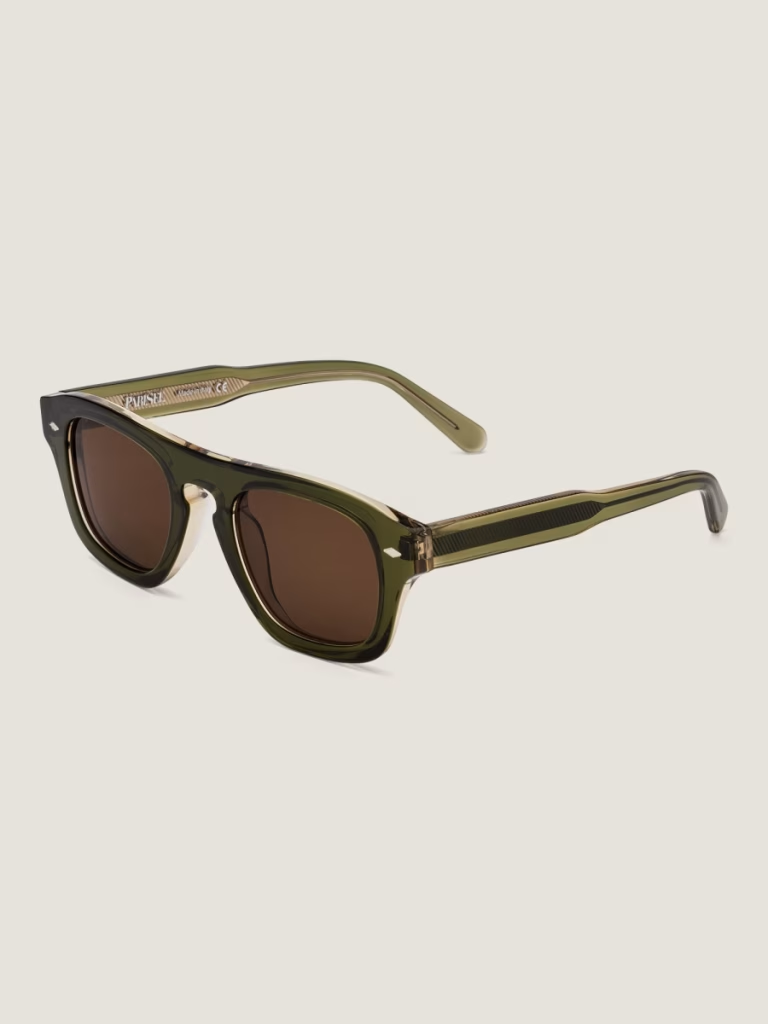
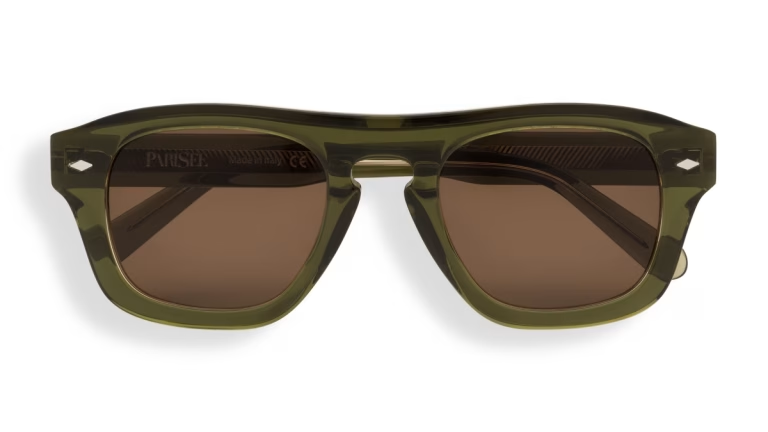
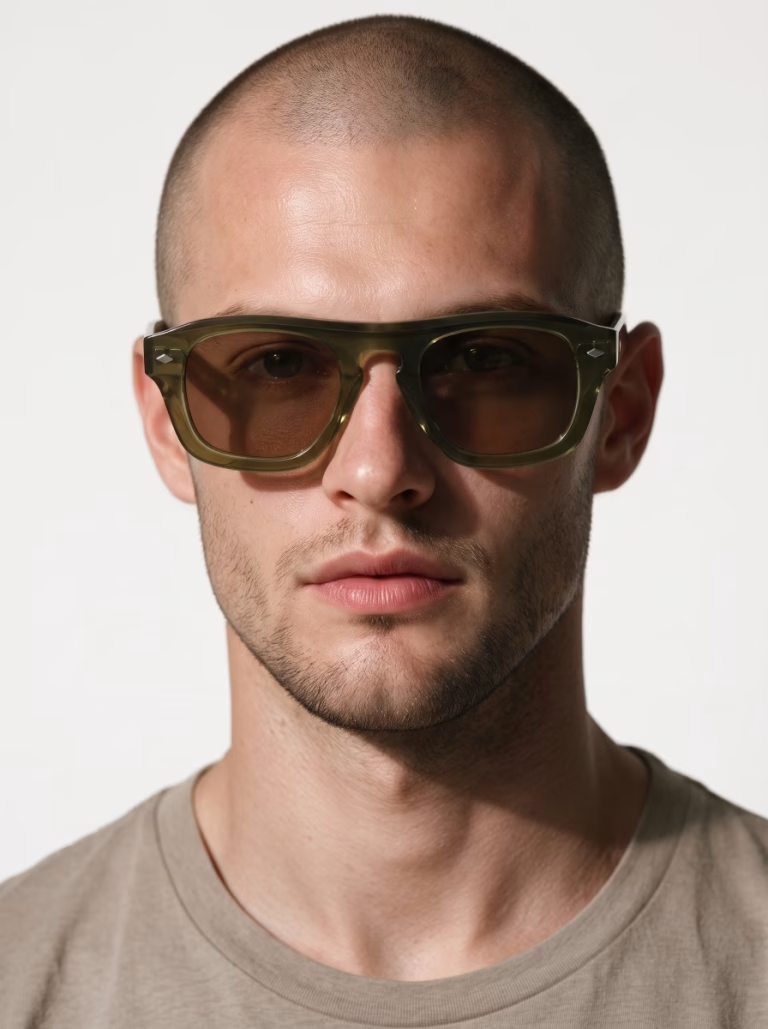
Shape, acetate or metal color, lens tint, temple patterns, logos: the frame on the model is the one in your packshot.
Try ParisiaPackshot
On-model · 2K
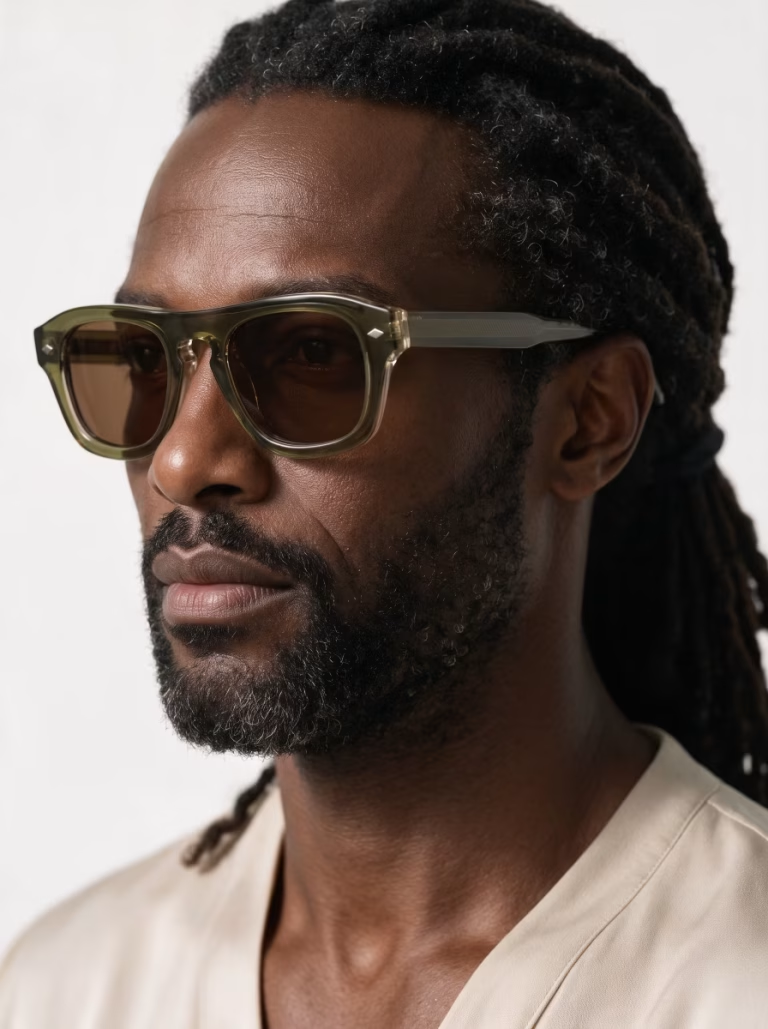
Front, three-quarter, profile
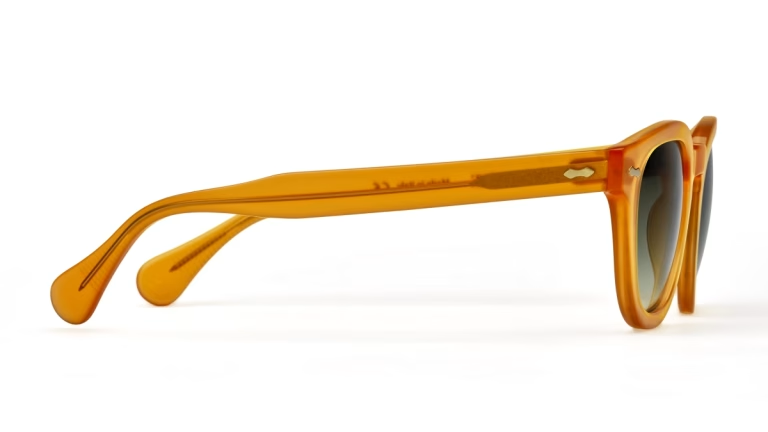
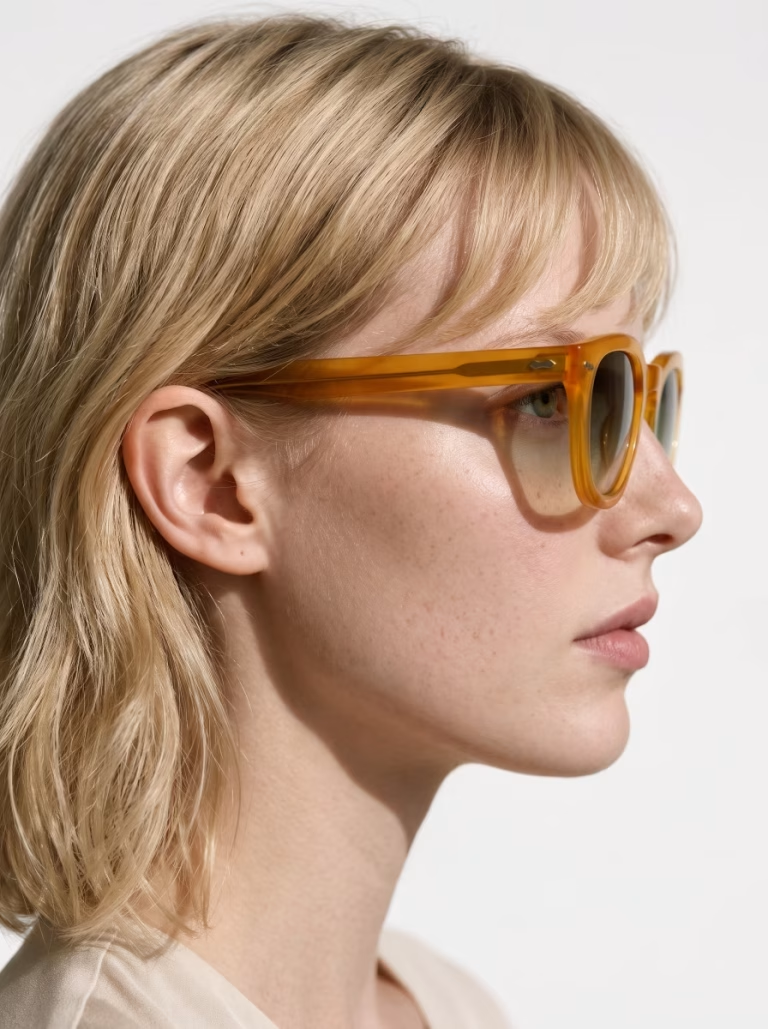
Your packshot's angle, on the face.
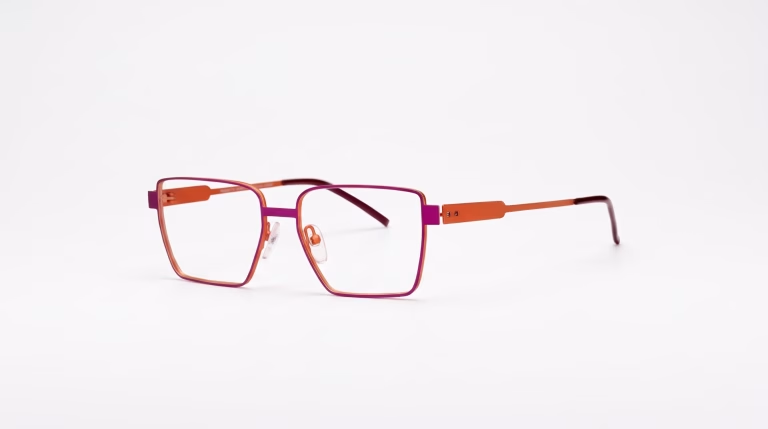
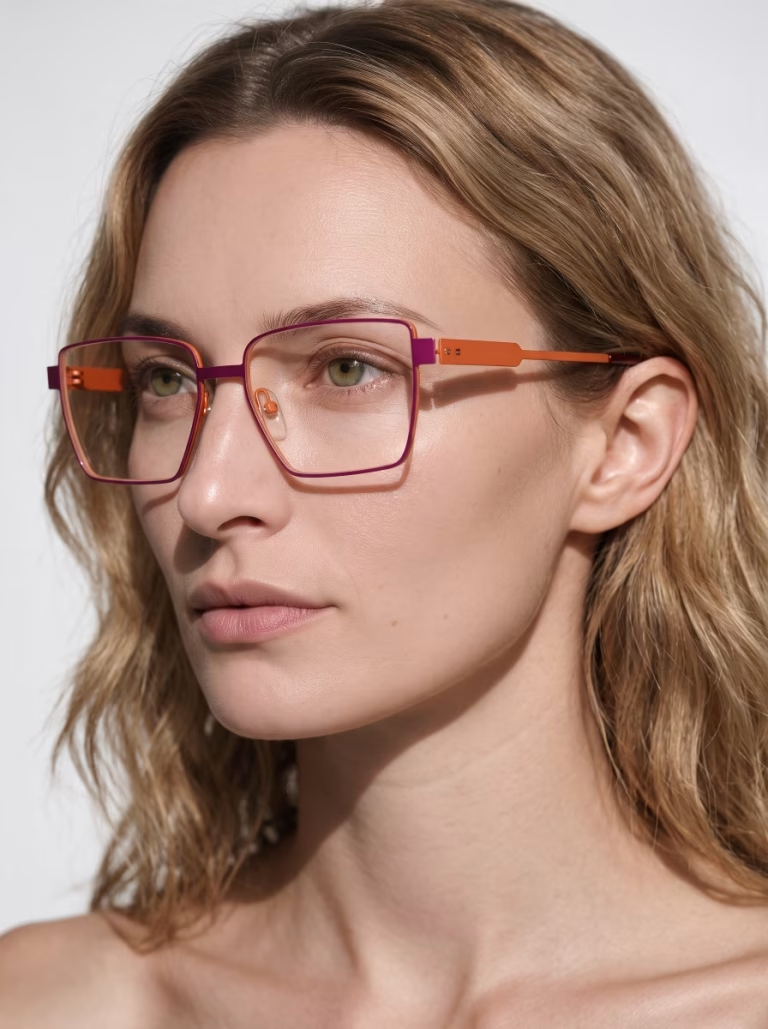
The model takes the pose that matches your packshot's angle: front, three-quarter or profile, facing left or right. A frame shot with folded temples is worn facing front. Your series stays as consistent as your packshots.
Packshot · Front
On-model · Front
Packshot · Three-quarter
On-model · Three-quarter
Packshot · Profile
On-model · Profile
What you get
On-model eyewear photos, true to your frames.
Faithful to your frame
Shape, colors, acetate pattern, logos and lettering on the frame all come from your packshot.
A wide range of models
Women and men, up to 100 models to choose from depending on your plan. Keep the same one for a whole series, or switch with every order.
The right size
Select the frame size, S, M, L or XL, to see it at the right scale on the face.
Clean lenses
Clear lenses stay fully transparent, sun lenses keep their original tint.
Up to 100 frames
In a single order. You get an email when everything is ready.
Your store's format
Eight formats, from a 9:16 story to a 21:9 banner, in 2K or 4K.
Everywhere you sell.
Product pages and collection pages
Marketplaces
Social media and newsletters
Campaigns and ads
In the app
The Eyewear — Packshot → on-model tool in three steps.
1. Upload your packshots
One pair per photo, up to 100 frames. Add their size if you like.
2. Choose your model
Up to 100 models, women and men, in the Studio, Atelier and Maison collections.
3. Launch
Choose your format and resolution, then find your photos in your history.
And that's it.
The toolbox
Fashion and accessories: all your tools in one place.
Parisia brings together the tools a fashion store needs for its images.
Jewelry
Your jewelry, worn by a model, in wide shots and close-ups.
Clothing — Ghost → on-model
Your ghost mannequin photo, worn by an AI fashion model.
Clothing — Flat lay → on-model
Your flat lay garment, worn by an AI fashion model.
Replace the model
The same on-model photo, with the model of your choice.
On-model photo retouching
Centered framing, plain background and polished skin.
Flat-lay photo retouching
Your flat lay garments on a plain background, front and back.
Plans
A plan for every store.
Starter
$9.90
per month · 15 images · 20 models
Pro
$39.90
per month · 80 images · 60 models
Advanced
$89.90
per month · 250 images · 100 models
Pay annually and get two months free. Prices exclude VAT and local taxes. Prices in USD; your final currency depends on your country at sign-up. First month free on the Starter plan.
Try it freeFAQ
Frequently asked questions
Which types of glasses are supported?
Eyeglasses and sunglasses, for women and men: acetate, metal or combination frames, round, square, aviator or butterfly. One pair per photo.
What photo should I provide?
A sharp packshot of a single pair of glasses, ideally on a plain background: front, three-quarter, profile or with folded temples. The better your packshot, the better the result.
Can I choose the angle of the on-model photo?
The angle follows your packshot: a frame shot from the front is worn facing front, a frame shot in profile is worn in profile. For several angles, upload several packshots of the same frame.
Do I need to specify the frame size?
It's optional. Choose S, M, L or XL to see the frame at the right scale on the face. If you leave it blank, size M is used.
Will the printing on my demo lenses show up?
Your lenses look clean: logos and text printed on demo lenses are removed. Those on the frame stay in place.
Will my frame match the original?
Parisia is designed to respect your product: shape, colors, patterns and logos.
How much does an on-model photo cost?
One on-model photo counts as one image in your plan: about $0.66 on Starter, $0.50 on Pro and $0.36 on Advanced. With annual billing, the price per photo drops further. Prices exclude VAT.
What is the difference between 2K and 4K?
2K suits most web uses. 4K offers more definition for fine details and large visuals. It counts as two images in your plan.